
How to Sell Presets Online: A Guide for Photography, Video and Music Creators
Presets package a repeatable creative starting point into a file that another person can use in a compatible application or device. Photographers may sell editing looks, video creators may package colour treatments, and musicians may distribute tone or instrument presets. A preset is not simply a file with a price attached: customers need to understand what it does, whether it works in their setup and how to install it. The strongest preset products combine a useful result with clear compatibility information and honest demonstrations.
Presets package a repeatable creative starting point into a file that another person can use in a compatible application or device. Photographers may sell editing looks, video creators may package colour treatments, and musicians may distribute tone or instrument presets. A preset is not simply a file with a price attached: customers need to understand what it does, whether it works in their setup and how to install it. The strongest preset products combine a useful result with clear compatibility information and honest demonstrations.
1. Choose a specific preset audience
Start by deciding who the preset is for and what workflow it supports. A portrait photographer, a travel filmmaker and a guitarist using a modelling processor have different expectations. A product described as “cinematic presets” may sound appealing but is difficult to evaluate. A more specific offer—such as a warm indoor portrait set for a named editing application or a clean-to-crunch guitar tone pack for a particular processor—sets clearer expectations.
Identify the audience's equipment, software, skill level and common frustrations. Read questions in relevant communities and review what existing products explain well or poorly. Your opportunity may be a specialised sound, a more consistent editing workflow or a carefully documented collection for a particular use case.
2. Create a coherent collection
Develop presets around a theme rather than collecting unrelated experiments. A photography pack might include variations for daylight, shade and indoor portraits. A music pack might contain clean rhythm, edge-of-breakup, lead and ambient tones. Keep naming consistent and explain the intended use of each preset.
Test the presets on more than one suitable source where possible. A photography look can behave differently with different exposure and white balance; a guitar preset can respond differently depending on pickups, guitar output, monitoring and playing dynamics. Explain what the preset is designed to achieve and what adjustments customers may need to make.
3. Document compatibility precisely
Compatibility is one of the most important parts of a preset listing. State the supported application, device, software version, firmware or file format where relevant. Explain whether additional plugins, impulse responses, sample libraries or paid software are required. If a preset was tested only on one setup, say so rather than implying universal compatibility.
For music equipment, list the exact processor family and relevant firmware assumptions. For photography and video, identify the supported application and file type. Keep compatibility details near the top of the product page, not buried at the end. This reduces avoidable support requests and helps buyers decide whether the product is suitable.
4. Demonstrate the result honestly
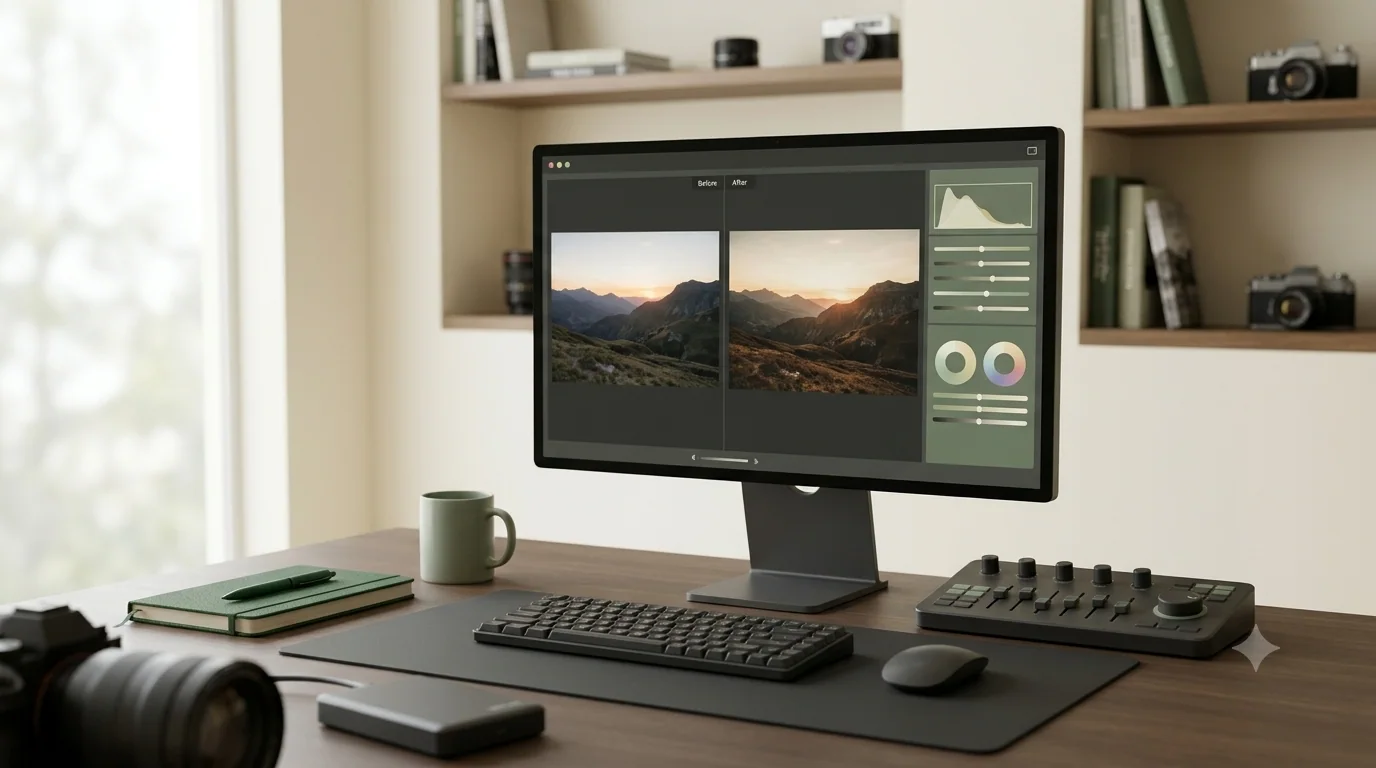
A buyer needs to hear or see what the preset does. For photography, show before-and-after examples using the same image and disclose meaningful editing changes. For video, use a short comparison with consistent footage. For music, record a clean demonstration with the intended guitar and signal chain, and avoid hiding the original tone behind additional processing that is not included.
Explain that presets are starting points, not guaranteed identical results. Source material, instruments, lighting, cameras, pickups and playback systems affect the outcome. Honest demonstrations build more trust than exaggerated claims or heavily edited previews.
5. Package files and instructions
Organise the download so a customer can identify the correct file quickly. Include the preset files, installation steps, compatibility notes and a short troubleshooting section. If there are multiple versions, label them clearly. Avoid ambiguous names such as “final-new-2”. Use a simple folder structure and test the complete package after exporting it.
Where installation differs by device or software version, provide separate instructions. Screenshots can help, but make sure they match the current interface. If a third-party application changes frequently, date the instructions and review them when major updates occur.
6. Respect intellectual property and licences
Only sell presets and accompanying assets that you have the right to distribute. Do not include third-party impulse responses, samples, fonts, photographs or software files unless the licence permits redistribution. A preset that references a paid plugin does not give the buyer a licence to that plugin. State any third-party requirements clearly.
Avoid using a manufacturer's logo or suggesting an official partnership unless one exists. Product compatibility statements should be factual and should not imply endorsement. Keep your original source files and records of licences for any included material.
7. Price the product around its use
Consider the specificity of the preset, the number of useful variations, the quality of documentation, the audience and competing products. More files do not automatically mean more value. A small set of well-tested presets with clear instructions can be more useful than a large pack of inconsistent files.
You can offer a focused starter pack, a larger themed collection or a bundle of related products. Explain the differences between them. Avoid making the entry-level pack deliberately incomplete if it cannot deliver the result promised in its description.
8. Build a product page that demonstrates quality
Include a concise description, supported versions, required software or equipment, included files and installation guidance. Use audio or video previews where relevant, and provide screenshots or sample images for visual presets. Show what is included in the download and clarify whether the buyer receives updates.
A good product page should answer the compatibility question before the customer pays. It should also explain what the preset does not do. For example, a guitar tone preset cannot compensate for every guitar, pickup, speaker or room. Setting realistic expectations protects the buyer and the creator.
9. Promote through demonstrations and education
Presets are naturally suited to demonstration-led content. Show how a sound or image changes, explain the settings behind the result and share a short tutorial about the workflow. A musician can demonstrate the same riff with and without a preset; a photographer can show a consistent editing process across a small set of images.
Use the demonstration to teach something useful. Explain why the preset is appropriate for a particular context and who may benefit from it. Then link to the complete product description. Repeated educational demonstrations can reach new audiences without making every post feel like an advertisement.
10. Support customers and maintain the pack
Prepare answers for common installation and compatibility questions. Keep a record of known issues and update the documentation when software or firmware changes. If an update changes the sound or behaviour materially, explain the change. Do not silently replace files in a way that leaves customers confused about what they downloaded.
Review feedback for recurring patterns. If buyers repeatedly struggle with installation, improve the instructions. If they expect a different result, improve the previews and product description. A preset product becomes more valuable when its documentation and customer experience improve alongside the files.
Key takeaway: A sellable preset pack is a tested creative tool with clear compatibility, honest demonstrations, organised files and useful installation guidance.